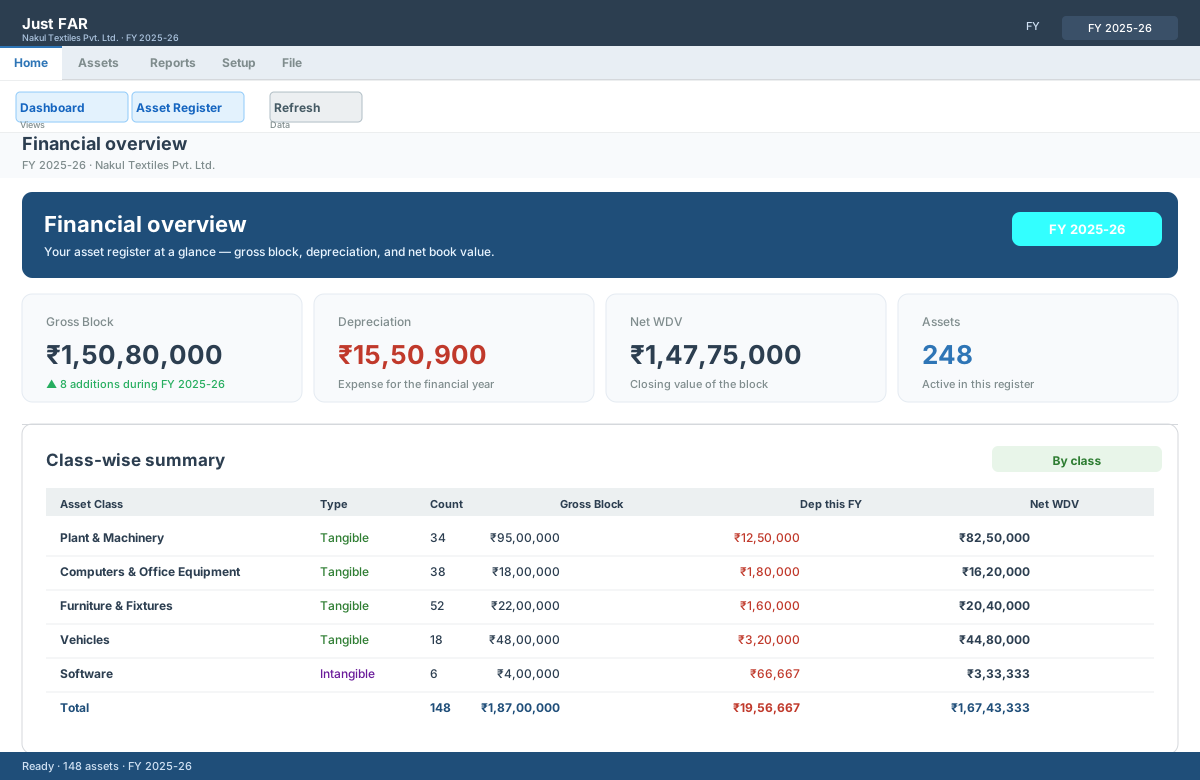
Financial overview
Gross block, depreciation and net WDV at a glance, plus a class-wise summary. New assets, additions and disposals all reconcile on one screen.
○ Illustrative preview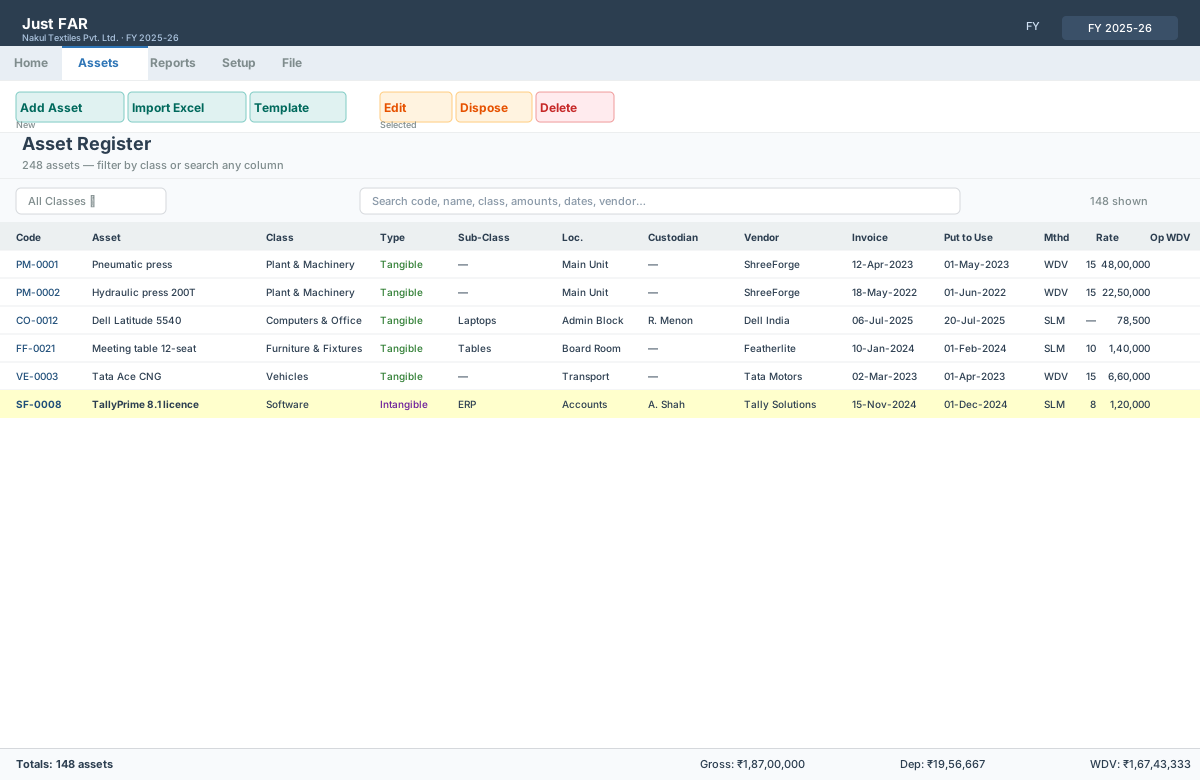
Asset register grid
A dense, professional accounting grid. Filter by class, search any column, and the totals footer always foots.
○ Illustrative preview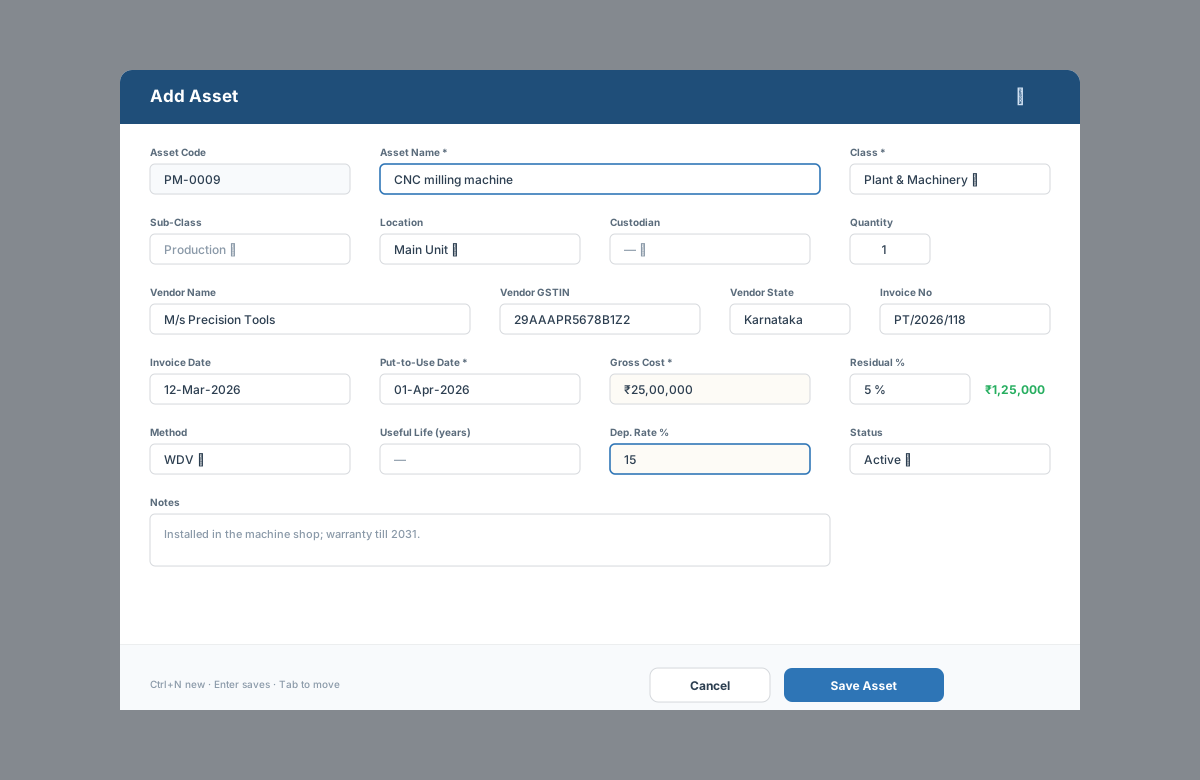
Add / edit an asset
A compact modal that stays on one screen. Class, dates, cost, residual % and method — with validation that catches mistakes before they save.
○ Illustrative preview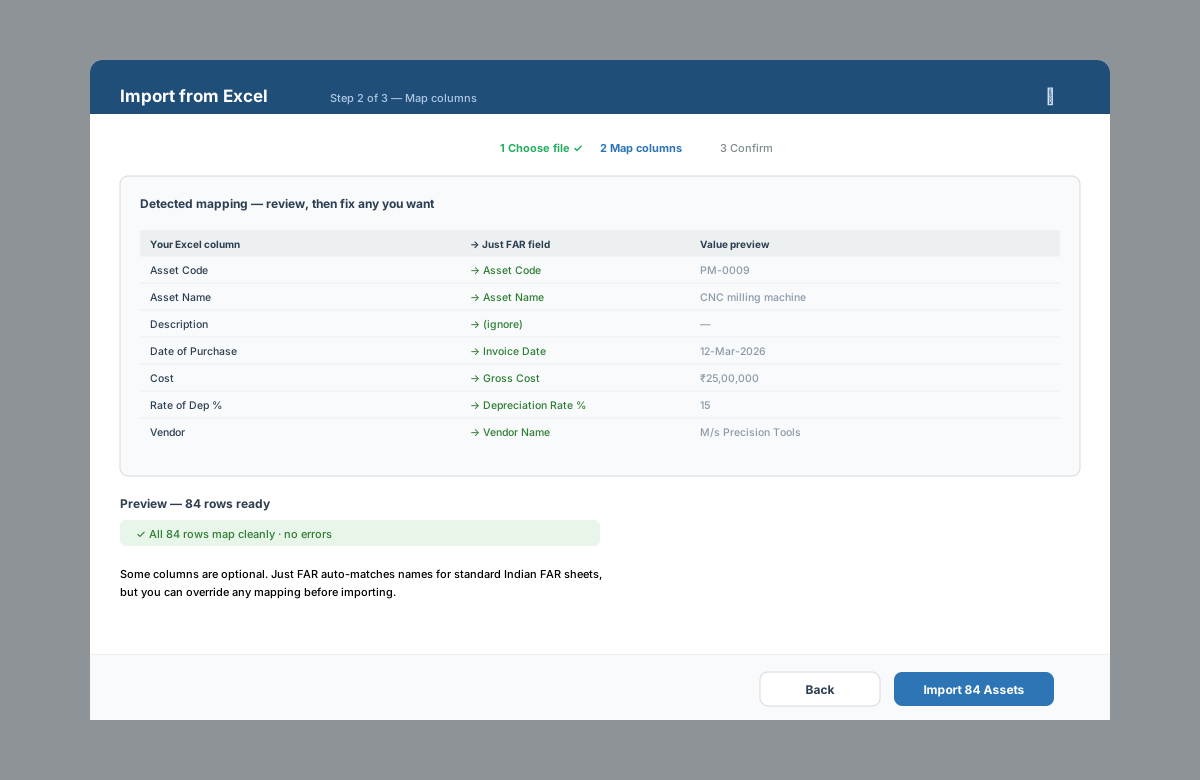
Import from Excel
Bring in your existing FAR sheet. Fuzzy header matching maps your columns, and you can override any mapping before importing.
○ Illustrative preview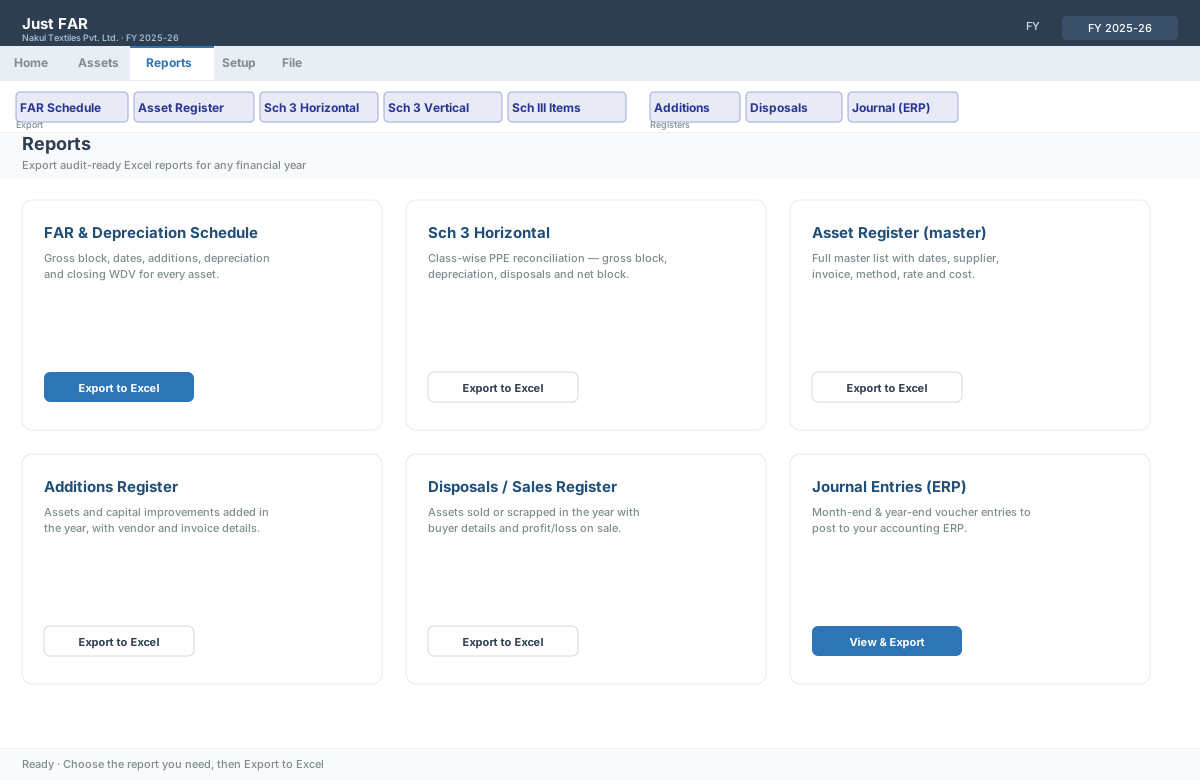
Reports page
FAR schedule, registers, additions, disposals and Schedule III PPE — export each to formatted Excel.
○ Illustrative preview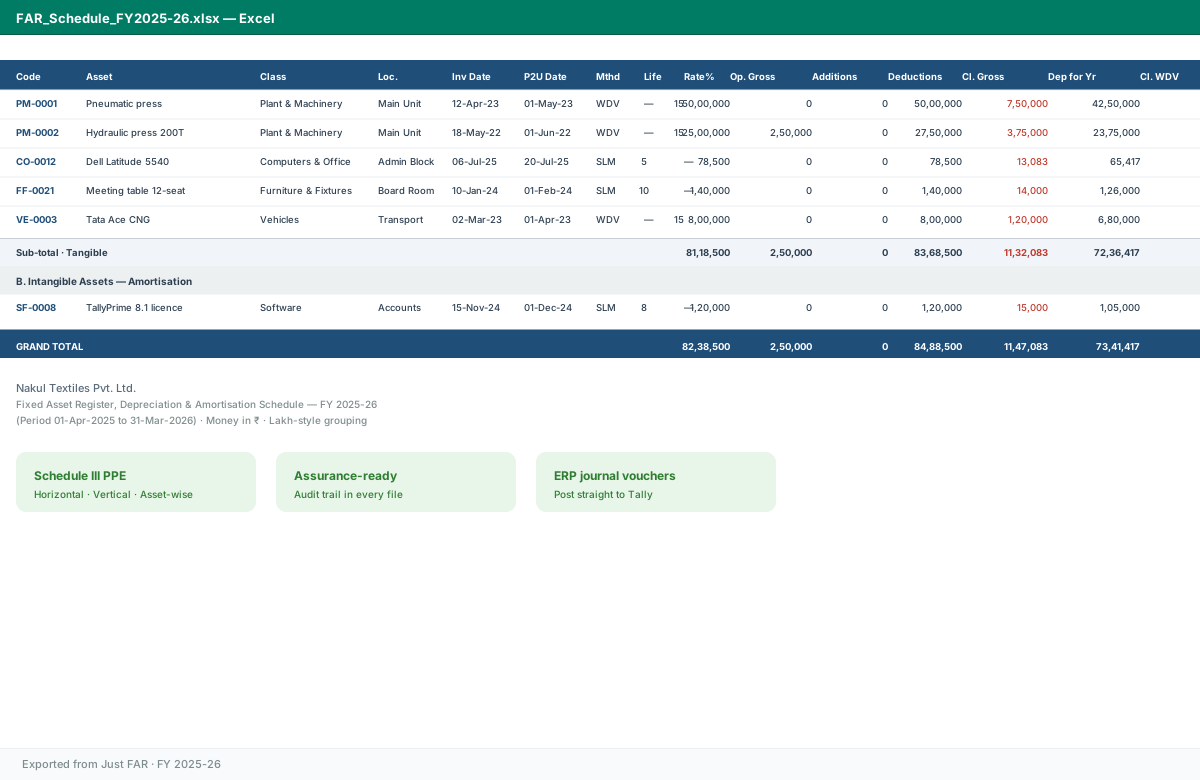
FAR & depreciation schedule
The exported schedule, exactly as filed: gross block, additions, deductions, depreciation and closing WDV, footed and grand-totaled.
○ Illustrative preview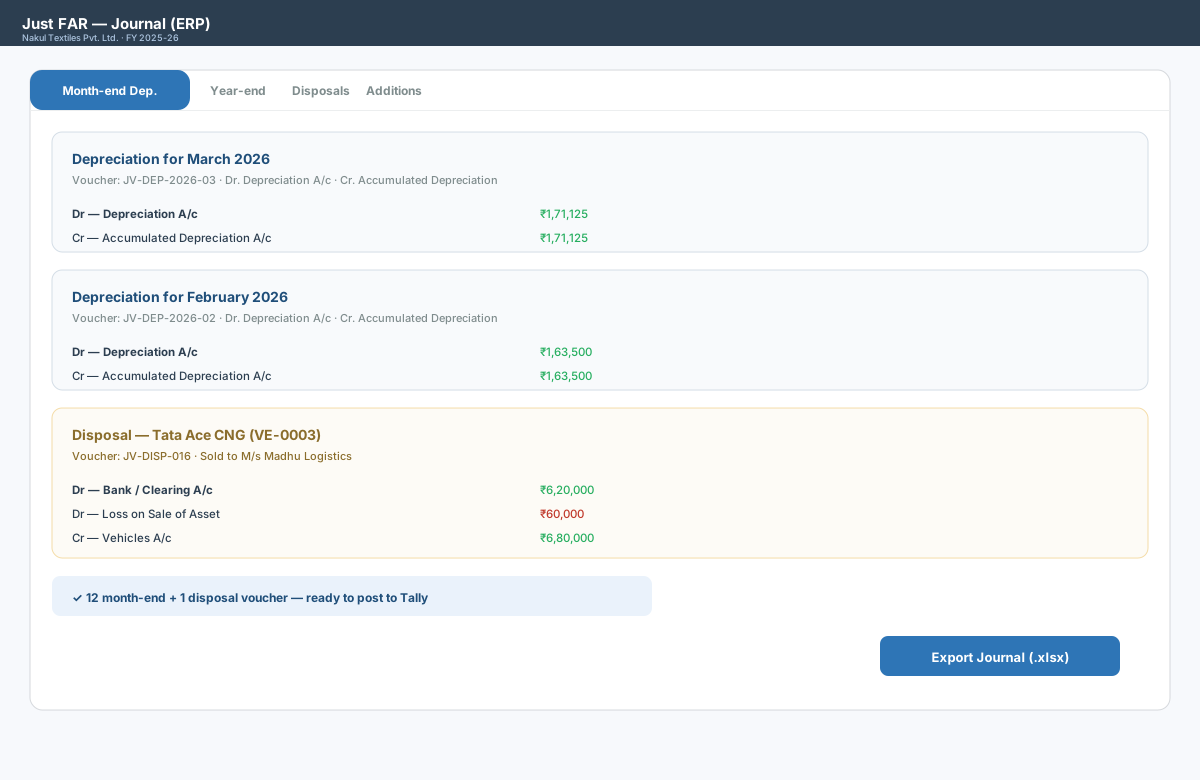
ERP journal vouchers
Month-end and year-end depreciation, plus disposal vouchers — ready to post to Tally or your ERP.
○ Illustrative preview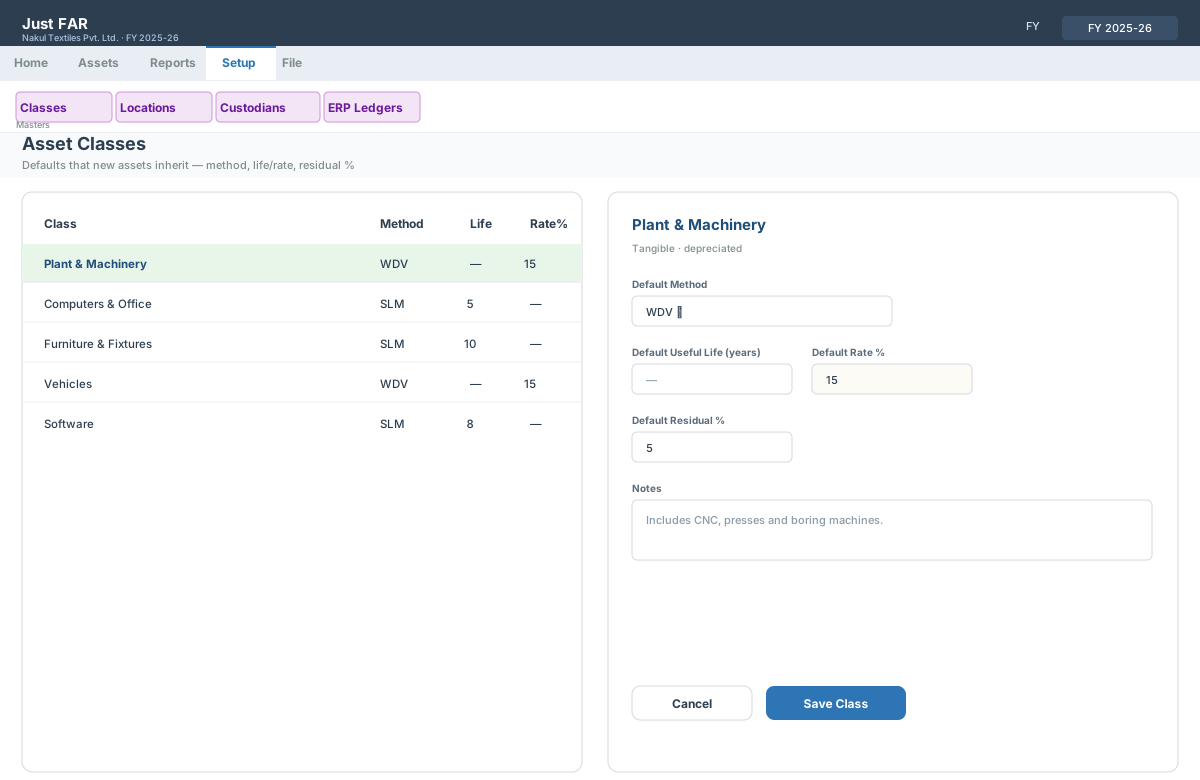
Masters & setup
Asset classes carry method, life/rate and residual defaults that new assets inherit. Locations, custodians and ERP ledgers too.
○ Illustrative previewEvery company file is real and portable
Screens marked Live screenshot are captured straight from the running application with tools/Capture-Screenshots.ps1; the rest are illustrative previews of that same screen until a real capture replaces them. Either way, each business is a .fardb SQLite file you can email, keep on a drive, or copy to a network share — and open by double-clicking.